
Marvel Rivals Cheats Blog

ESP, Wallhack & Aimbot Guides

Deep guides for Marvel Rivals cheats — ranked ESP setups, wallhack overlays, aimbot tuning, config profiles, and real in-game screenshots so you know exactly what each setting does before you queue.

Latest guides

Marvel Rivals cheats full overlay — ESP, wallhack and aimbot in one match
Full Marvel Rivals overlay — ESP, wallhack geometry, and aimbot FOV in one external build.

Marvel Rivals cheats explained — ESP, wallhack & aimbot in 2026

Marvel Rivals is a hero shooter where information wins fights before aim does. Knowing who is flanking, which ultimate is charging, and how much HP a duelist has left matters as much as crosshair placement. Marvel Rivals cheats bundle that information into overlays you can read in real time.

This guide breaks down the three core modules you will see in every serious menu: ESP (data), wallhack / WH (geometry through walls), and aimbot (assisted tracking on a keybind). All of it runs as an external overlay — nothing is written into game files or process memory.

ESP — what you actually see

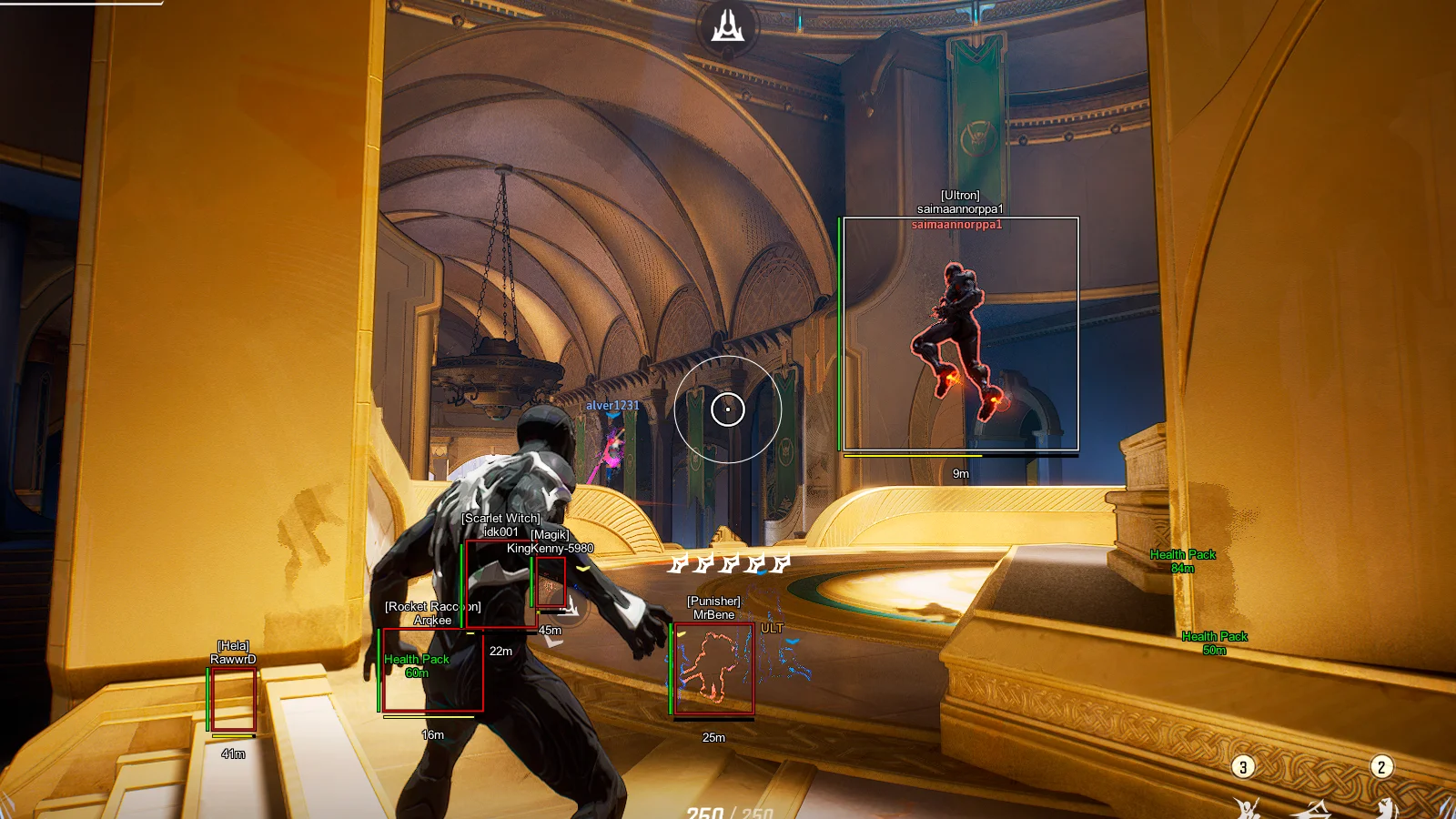
ESP surfaces labels: player name, hero name, distance, health points or health bar, optional skeletons, and 2D boxes. Filters like enemies only and ignore bot keep practice lobbies from polluting ranked reads. Max distance stops far-away spawn markers from filling your screen.

Wallhack — lines and boxes

Wallhack options emphasize draw box, box style (corners vs full rectangle), snaplines, snaplines style, and off-screen arrows. The screenshots in our gallery above show green boxes and snaplines typical of a WH-first layout layered with ESP text.

Aimbot — when you choose to use it

Aim modules include enable aimbot, aimbot key (hold to activate), FOV, draw FOV, smooth, vector aimbot, lock target, prediction, and distance caps. The goal is assist that still looks like manual play when smooth values are high.

Full menu breakdown on homepage · Get the loader

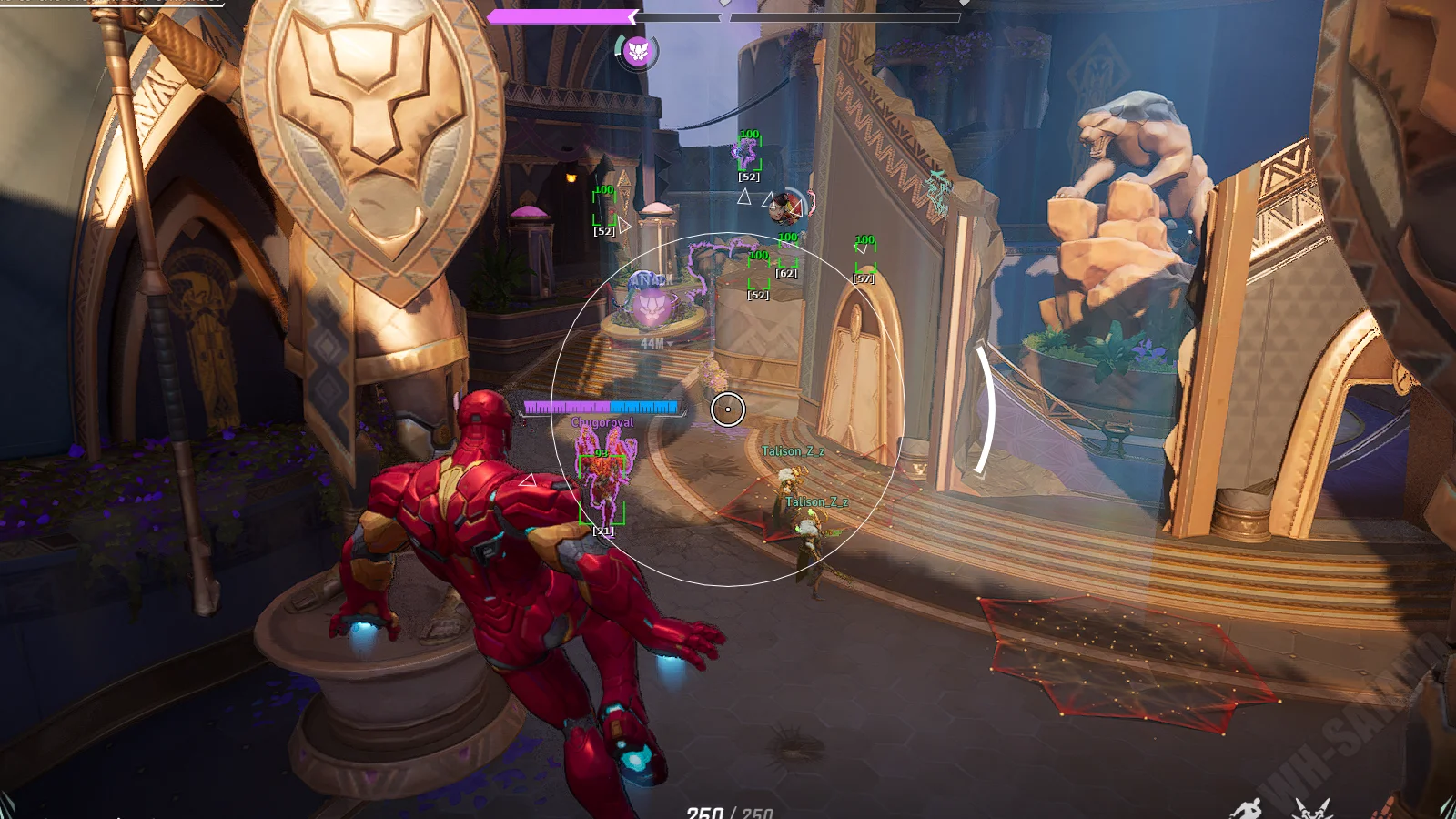
Ranked Marvel Rivals ESP with green boxes and FOV ring
Typical ranked layout: corner boxes, FOV ring, and enemy labels (Iron Man example).

Best Marvel Rivals ESP settings for ranked (2026)

Ranked players want the minimum overlay that still answers three questions: Who is close? Who is low? Who is off-angle? Here is a proven baseline you can save as a config profile.

  • Show players: on — enemies only if the menu supports it.
  • Hero name + player name: on — callouts sync faster with team.
  • Health bar: on — faster than reading raw HP numbers mid-fight.
  • Draw box: corner style — less screen noise than full boxes.
  • Max distance: 80–120 m depending on map size — tune down if clutter appears.
  • Custom colors: one bright enemy color, muted allies if shown.

Avoid skeletons in ranked unless you truly need them — they add visual noise during ultimates and smoke abilities. Add distance text only if you play long-range poke heroes.

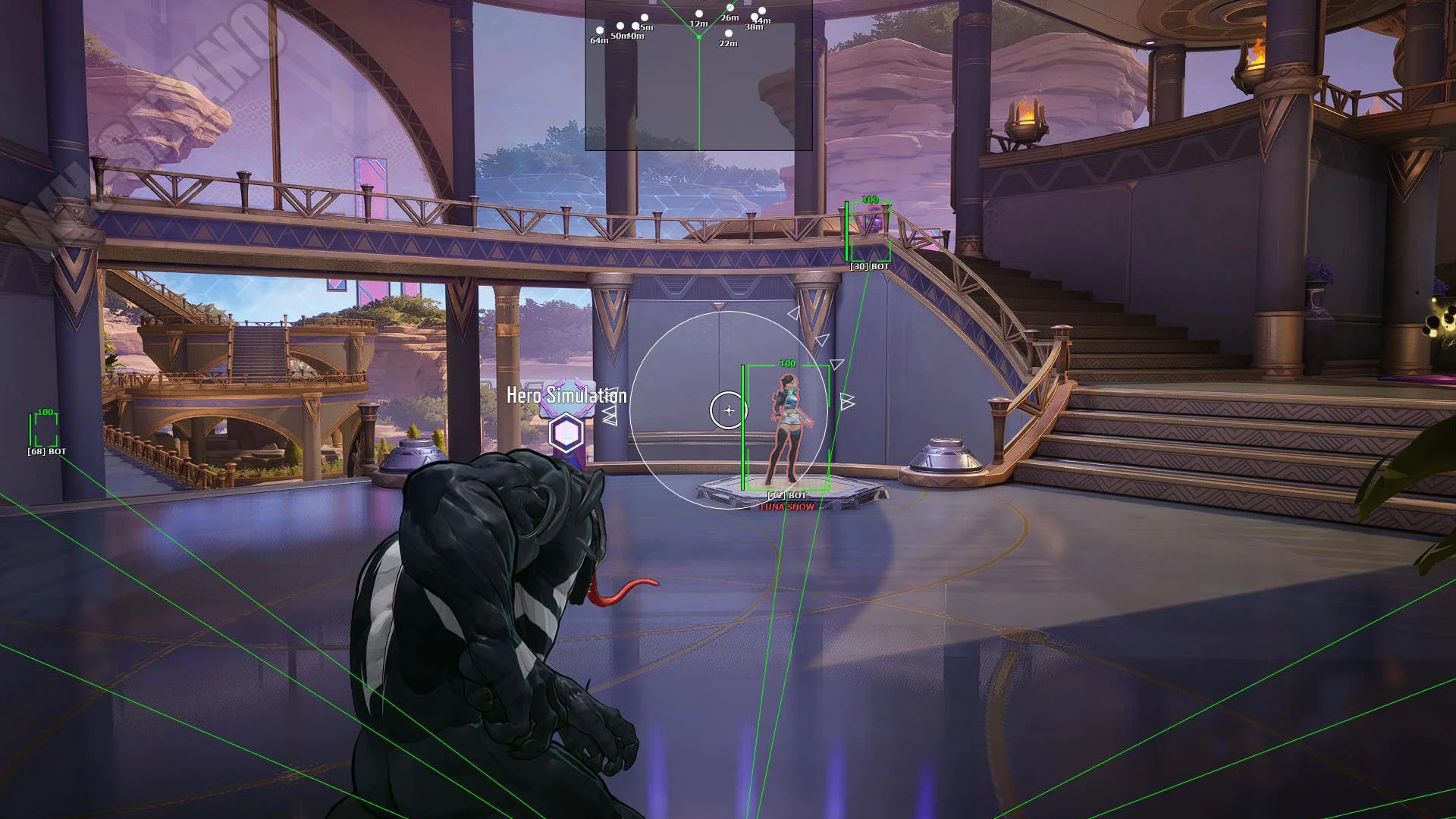
ESP vs wallhack comparison — boxes on Venom map
WH-heavy view: boxes and lines dominate; ESP text can sit on top.

ESP vs wallhack in Marvel Rivals — what to enable first

Beginners confuse ESP and wallhack because both draw through geometry. Think of ESP as a stats panel floating on the world and wallhack as a highlight reel on player positions.

Choose ESP-first if you…

…play support or shot-caller roles, track cooldowns verbally, and need precise HP/read on one target. Prioritize names, health, distance.

Choose WH-first if you…

…lose enemies on vertical maps, struggle with flank timing, or play aggressive duelists. Prioritize snaplines, arrows, boxes.

Hybrid (recommended)

Most Marvel Rivals cheats menus let you run both. Use thin boxes + health bar + short snaplines. Cap distance. The Venom screenshot in our gallery is a good reference for hybrid density.

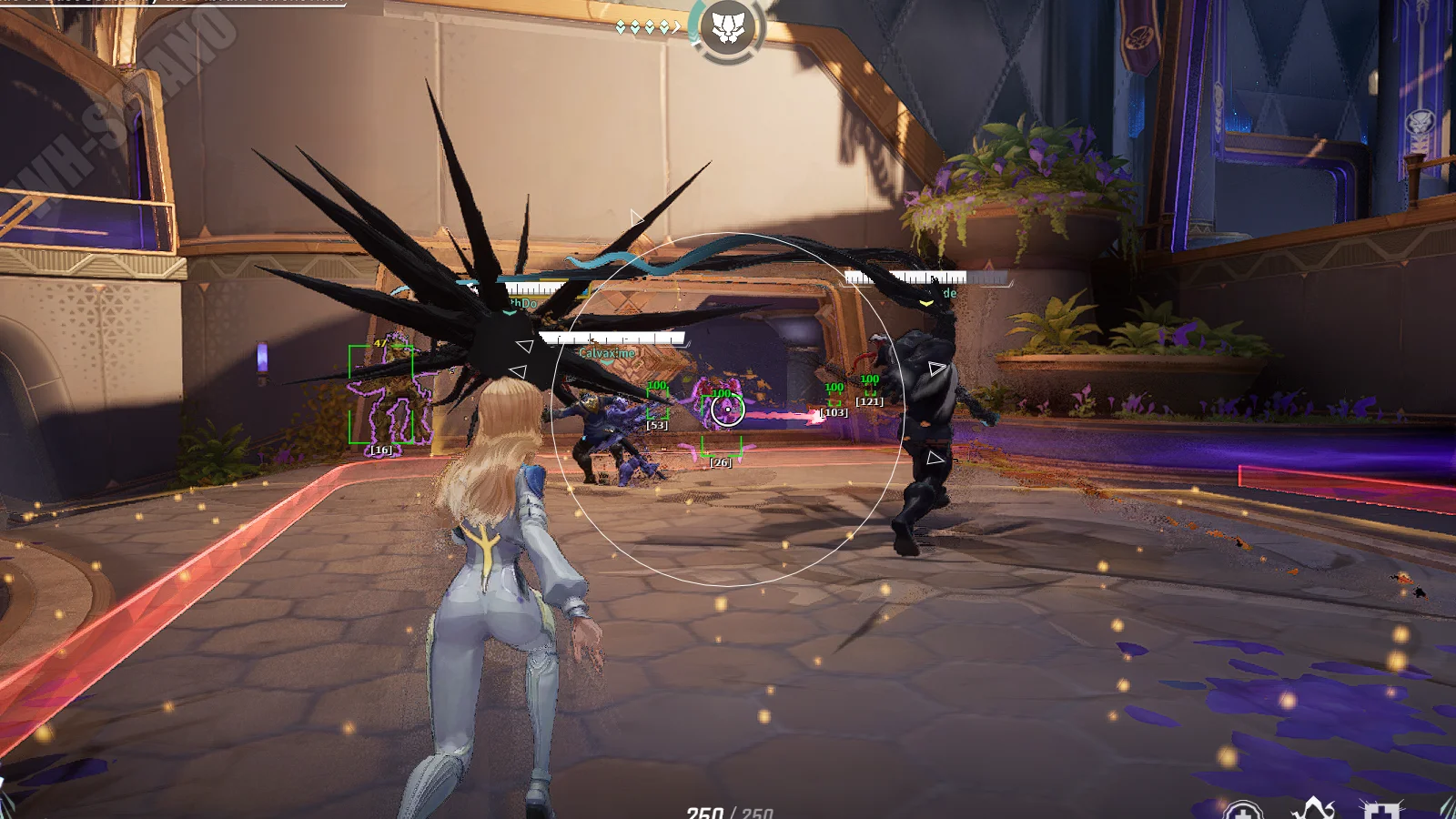
Health bar and health points ESP on Magik
Health bars and numeric HP — pick one or both depending on screen size.

Health bar vs health points — which ESP read is faster?

Health points show exact HP as text (e.g. 187). Health bar shows a horizontal strip that drains visually. In chaotic team fights, bars win because your eyes detect length changes faster than digit updates.

On 1440p and 4K, enable both but offset them vertically so they do not overlap hero names. On 1080p, pick one to save space. Pair either with hero name so you know when a squishy support is hiding behind a tank.

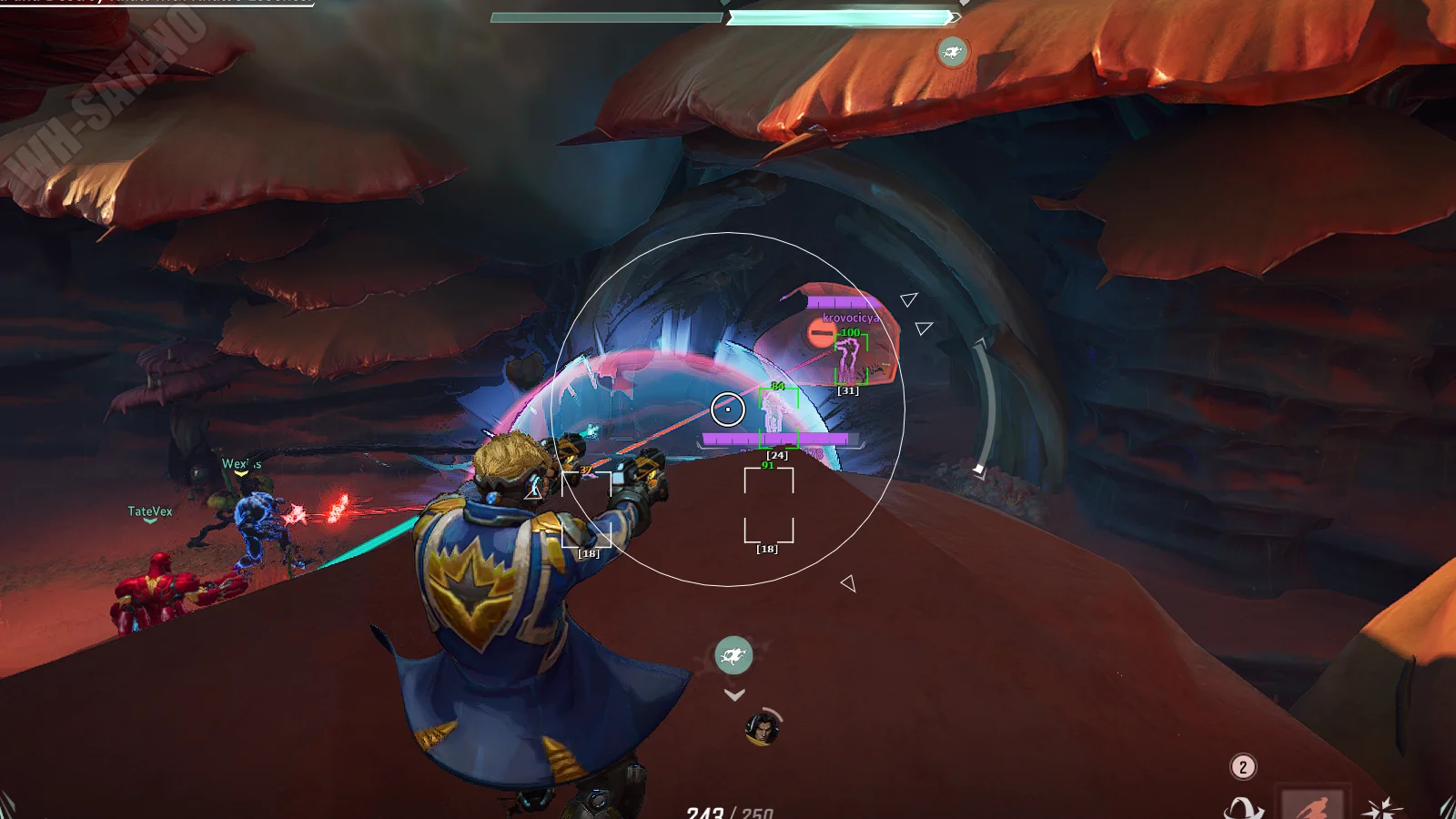
Snaplines and arrows wallhack on Star-Lord map
Snaplines toward enemies — Star-Lord example from live match footage.

Snaplines & arrows — wallhack styles that matter

Snaplines draw lines from a screen anchor (bottom center, crosshair, or top) to each enemy. Snaplines style changes anchor and color per team. Arrows appear at screen edges pointing to off-screen threats.

For payload maps, bottom-center snaplines help track bodies on the point without staring at the objective UI. For high-ground maps, edge arrows prevent silent flank dives. Do not enable every style at once — pick one line type and one arrow color.

DPI scaling & custom colors for clean overlays

Marvel Rivals at 4K with 150% UI scale needs different ESP density than native 1080p. DPI in the cheat menu scales text and box thickness so labels stay readable without covering hitboxes.

Custom colors let you assign enemy = magenta, team = cyan (if shown), bots = gray. High contrast matters more than aesthetic — you are parsing information in 200 ms windows. After changing colors, save a config so a driver update does not reset your palette.

Ignore bot & max distance — filter noise in Marvel Rivals

Practice modes and bot lobbies flood ESP with fake threats. Ignore BOT (aimbot) and bot filters in WH/ESP stop AI from stealing aim priority or drawing lines across the whole map.

Max distance for player ESP cuts off far spawn room markers. Start at 100 m on mid-size maps; drop to 70 m if you still see clutter. Aimbot distance should usually be shorter than ESP distance so distant duels do not pull your cursor.

Aimbot FOV circle on Magik gameplay
Visible FOV ring — tune size before disabling draw FOV in ranked.

Aimbot tuning — FOV, smooth, and keybind basics

Start with aimbot disabled, build ESP, then add aim last. When you enable assist, use a hold key never toggle-on permanently.

  1. Set FOV to ~15–25% of screen width for hitscan heroes.
  2. Enable draw FOV for ten minutes of training range, then disable.
  3. Set smooth high (weaker pull) — increase until flicks feel natural.
  4. Enable smoothy aimbot and test vector aimbot on separate profiles.

Vector aim, lock target & prediction for dash heroes

Vector aimbot curves mouse movement instead of linear snapping — better for review clips and long tracking.

Lock target keeps one enemy until death or key release. Strong for focus fire on supports; dangerous if you ignore flankers — pair with ESP arrows.

Prediction leads targets that dash (Spider-Man, Iron Fist, Magik portals). Test in custom games before ranked. Combine prediction with pelvis or closest-bone mode when head hitboxes jitter during movement abilities.

FOV color and filled FOV aimbot settings
FOV color and filled FOV — cosmetic but useful while learning.

FOV color, filled FOV & draw FOV — visual aim settings

Draw FOV renders the aim radius. FOV color picks the ring color; filled FOV adds a translucent disk inside. Learning profiles use filled FOV; ranked profiles disable fill and often disable draw entirely.

Thin white or purple rings match the Marvel Rival Cheats site theme and stay visible on bright maps like Wakanda. Avoid neon green rings if you already use green ESP boxes — color collision makes both harder to read.

Marvel Rivals cheat config save and load
One match, one profile — swap configs between ranked and quick play.

Config profiles — save & load Marvel Rivals cheat settings

The config tab exists because nobody wants to rebuild 40 toggles after a patch. Export profiles for:

  • ranked-esp-min.cfg — tight ESP, no skeletons, ignore bots.
  • ranked-aim-soft.cfg — small FOV, high smooth, prediction on.
  • quickplay-fun.cfg — wide FOV, full boxes, long snaplines.

Reload configs before queueing so driver restarts or menu updates do not wipe your week of tuning.

Ranked pre-queue checklist — ESP, wallhack & aimbot

  1. Load ranked ESP config — verify enemies only and max distance.
  2. Confirm ignore bot in aimbot if queue is PvP.
  3. Test aimbot key in firing range once.
  4. Disable draw FOV / filled FOV for match start.
  5. Check menu language (EN/RU) matches your muscle memory.

Five minutes of checks prevents one wrong profile from ruining a full session.

External Marvel Rivals cheat overlay screenshot
External overlay — matches homepage hero screenshot style.

Why external Marvel Rivals cheats beat memory edits

External tools draw on top of the framebuffer. Internal cheats patch instructions inside the game process. After updates, internals break harder and faster. Externals mostly need world-to-screen math refreshed.

That does not mean zero risk — blatant settings still get reported. External simply gives you a saner update path and encourages smoother aim profiles than instant snap cheats.

Cheat menu — English & Russian walkthrough

Menus ship in English and Russian. Tabs map to AIM (aimbot), WH/ESP (wallhack), and config saves. Toggle show players first, then layer geometry, then aim.

Watch the loader on the homepage video, then browse when ready to install.